






Etisalat Quick Recharge gives UAE prepaid mobile users an easy way to add credit to their accounts online. Customers simply enter their mobile number, choose a recharge amount, and pay using an accepted bank card. This saves them a trip to a retail outlet or the need to buy a physical recharge card.
Etisalat now operates under the e& brand and offers several ways to recharge mobile accounts across the UAE. Customers can use the official website, e& UAE app, recharge cards, eVouchers, and supported banking services.
Quick Recharge is a practical choice for anyone who wants to top up a mobile number through a web browser. This article covers how the service works, how to complete a recharge, available payment methods, and solutions to common problems.
What Is Etisalat Quick Recharge?
Etisalat Quick Recharge is an online service that lets prepaid customers add credit to their mobile accounts without visiting an Etisalat store. Customers can access the service directly through the official e& website.
To complete a recharge, enter your mobile number, select an available amount, and pay using an accepted payment method. Once the payment succeeds, e& adds the credit to the selected prepaid account.
You do not need to install the e& UAE app to use this service. Simply open the official website through a browser on your smartphone, tablet or computer.
You can also recharge another eligible Etisalat number. This makes the service useful when a family member or friend needs mobile credit.
Some key features include:
- Online top-up: Add mobile credit directly through the official e& website.
- No app installation: Complete the recharge using your web browser.
- Simple payment: Select a recharge amount and pay with an accepted bank card.
- Recharge for others: Add credit to another eligible prepaid number.
- Convenient access: Recharge whenever you have an internet connection.
The official Quick Recharge page displays a monthly recharge limit of AED 300 and specifies UAE- or GCC-issued credit cards. Always check the latest conditions before making a payment.
How to Recharge Etisalat Online in UAE
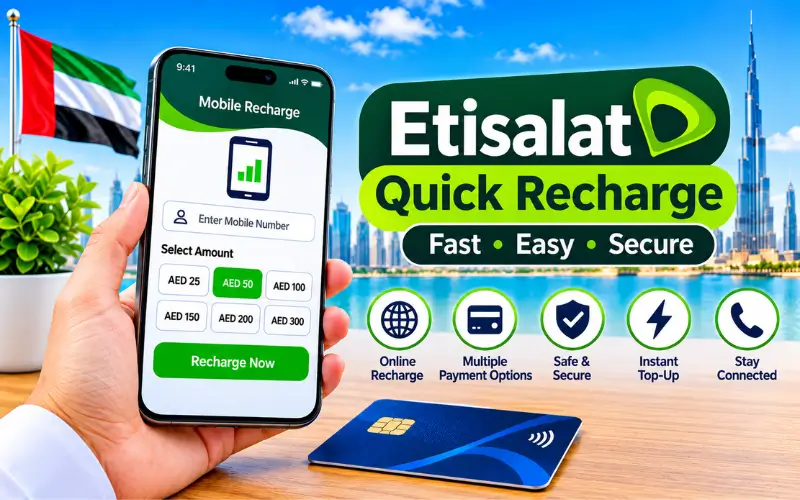
You can recharge your Etisalat prepaid number online through the official Quick Recharge service. The process takes you through a few simple steps: enter your mobile number, select a recharge amount, and complete the payment.
Follow the steps below to top up your account.
Enter Your Etisalat Mobile Number
Start by opening the official e& UAE website and navigating to the Quick Recharge option. Enter the prepaid mobile number you want to recharge.
Check the number carefully before moving to the next step. A single incorrect digit could send the credit to someone else’s account. If you are recharging another person’s number, ask them to confirm their mobile details first.
Choose Your Recharge Amount
Once you enter the mobile number, select one of the recharge amounts available on the page. Consider your usual calling, messaging, and mobile data usage before choosing an amount.
Review your selection before continuing to payment. The available denominations may change, so always follow the options displayed on the official website.
Complete the Online Payment
Open the payment section and enter the details of an accepted bank card.
The dedicated Quick Recharge page specifies UAE- or GCC-issued credit cards. Other e& payment services may support additional payment options.
Your bank may ask you to enter an OTP or complete another security check. Only provide these details on the legitimate payment page.
Before submitting the transaction, check your mobile number, selected recharge amount, and available card balance.
Confirm Your Mobile Recharge
After submitting the payment, give the transaction time to process. The website should display the relevant payment or recharge status once the process finishes.
Avoid refreshing the page repeatedly or submitting another payment while the first transaction is still processing.
Once the transaction finishes, check your mobile balance to confirm that the credit has arrived. Keep the payment reference or confirmation message until you see the updated balance.
Etisalat Quick Recharge Without Login
You can use Quick Recharge without installing the e& UAE app or signing in to your regular account. This option works well for prepaid customers who simply want to add credit without accessing other account services.
All you need is the correct mobile number and an accepted payment method. You can complete the entire process through a web browser on your phone or computer.
Follow these steps:
- Open the official e& Quick Recharge page.
- Enter your prepaid mobile number.
- Select an available recharge amount.
- Continue to the payment section.
- Enter the required card details.
- Complete your bank’s security verification, if requested.
- Wait for the transaction confirmation.
This method saves time if you do not want to install another application. However, protect your payment details and avoid financial transactions on public computers.
Where Can You Recharge Your Etisalat Number?
e& offers several ways to recharge mobile accounts across the UAE. You can top up online, use the mobile application, purchase a physical recharge card, or recharge through supported banking services.
Each method offers a different level of convenience. Your choice depends on how you prefer to pay and whether you also want to manage other mobile account services.
Through the Official e& Website
The official e& website offers online services for prepaid customers, including mobile recharge. Open the website through your browser and follow the instructions on the screen.
This option suits customers who prefer using a computer or do not want to download the mobile application. It also gives you direct access to official telecom services.
Through the e& UAE App
The e& UAE app lets customers manage their mobile accounts from their smartphones. You can recharge your number, check usage, review account details, and manage available services through the application.
After signing in, select your mobile account and open the recharge section. Choose an available amount and follow the payment instructions to complete the transaction.
The app works well for regular customers who want to check their balance and manage mobile services from one place.
Through Quick Pay
e& also provides online payment services that let customers complete eligible transactions without opening the full account dashboard.
For prepaid mobile credit, select the appropriate recharge option instead of postpaid bill payment. Enter the mobile number and follow the instructions displayed on the website.
Pay attention to the selected service before confirming the transaction. A postpaid bill payment and a prepaid mobile top-up are two different services.
Using Etisalat Recharge Cards
Recharge cards and eVouchers provide another way to add mobile credit. You can purchase them from participating retailers and authorised shops across the UAE.
Follow the instructions printed on the voucher to add credit to your account.
The official recharge information also provides this USSD format for card recharges:
*120*card number#
Replace the words with your actual recharge card number and dial the complete code from your Etisalat mobile.
Keep the voucher until the credit appears in your account. Never share an unused recharge code with anyone.
Through UAE Banking Apps
You can also recharge eligible prepaid numbers through supported banking services. e& lists bank ATMs, online banking, phone banking, and mobile banking among its available recharge channels.
Open your bank’s application and look for the telecom recharge or mobile top-up section. Select Etisalat or e&, enter the required mobile number, and choose an available amount. The exact steps depend on your bank, so review the transaction details before confirming payment.
Etisalat Recharge Amounts and Payment Options
Recharge amounts depend on the payment channel you choose. Quick Recharge displays its available denominations during the transaction, while physical recharge cards and eVouchers may offer different values.
The official Quick Recharge page displays a monthly recharge limit of AED 300. It also specifies UAE- or GCC-issued credit cards for this particular service.
Available Recharge Amounts
Choose a recharge amount that matches your mobile usage and budget. Customers who make occasional calls may need less credit than those who regularly use mobile data.
Do not expect every recharge channel to offer the same denominations. Check the available amounts on the website, app, or voucher before completing your top-up.
Accepted Credit and Debit Cards
Payment options vary depending on the recharge channel. e& lists credit and debit cards among its online recharge methods, while the dedicated Quick Recharge page specifically mentions UAE- or GCC-issued credit cards.
If your card does not work, check its issuing country, online payment settings, and available balance. Your bank may also decline the transaction if it requires additional security verification.
Online Recharge Limits
The official Quick Recharge page displays a monthly limit of AED 300. This limit applies to the specified Quick Recharge service and does not automatically apply to every e& payment channel.
| Recharge Detail | Information |
| Service | Etisalat Quick Recharge |
| Currency | UAE dirham (AED) |
| Monthly limit | AED 300 on the Quick Recharge page |
| Card requirement | UAE- or GCC-issued credit card |
| Mobile details | Correct Etisalat number |
| Confirmation | Check transaction status |
Always review the latest conditions on the official payment page before completing your transaction.
How to Recharge Someone Else’s Etisalat Number
Quick Recharge also lets you add credit to another eligible Etisalat prepaid number. This comes in handy when a family member or friend runs out of mobile credit and needs a top-up.
You only need the recipient’s correct mobile number and an accepted payment method.
Follow these steps:
- Open the official Quick Recharge page.
- Enter the recipient’s Etisalat number.
- Ask the recipient to confirm the number.
- Choose the required recharge amount.
- Enter your accepted payment details.
- Complete the bank verification.
- Keep the payment confirmation until the recipient checks their balance.
Always double-check the mobile number before paying. Do not assume that e& can automatically reverse or transfer a completed recharge sent to the wrong account.
How to Check Your Etisalat Balance After Recharge
Once you complete a top-up, check your prepaid balance to make sure the credit has reached your account. e& offers several ways to view your available balance.
The quickest option is to dial *121# from your Etisalat mobile number. Follow the instructions that appear on your screen.
You can also open the e& UAE app, sign in, and select your mobile account. The account dashboard lets you review your balance and mobile usage.
If you need assistance, you can also call 121 for customer support.
| Balance Checking Method | What to Do |
| USSD code | Dial *121# |
| e& UAE app | Sign in and view your account |
| Customer support | Call 121 |
If your balance does not update immediately, check your payment confirmation and allow the transaction time to process. Avoid making another payment until you know the status of the first transaction.
How Long Does Etisalat Quick Recharge Take?
A successful online top-up should update your prepaid account after the payment process finishes. However, the processing time can vary depending on bank verification, the payment gateway, and account processing.
Some transactions finish quickly, while others take longer because of additional security checks or temporary technical issues.
After submitting your payment, follow these checks:
- Look for a successful transaction message.
- Check for an SMS or payment notification.
- Review your bank’s transaction history.
- Dial *121# to check your balance.
- Keep the payment reference if the credit has not arrived.
If your bank deducts the amount but e& does not add the credit, contact customer support and provide the transaction details. Never share your complete card number, password, or OTP.
Etisalat Quick Recharge Problems and Their Solutions
Online top-ups usually follow a straightforward process, but payment or technical problems can sometimes interrupt a transaction. A failed payment does not necessarily mean you have lost your money.
Start by checking the payment status and identifying where the process stopped.
Recharge Payment Failed
A recharge may fail because of card- or bank-related issues. Try these steps:
- Check your card details.
- Ensure sufficient account balance.
- Enable online payments.
- Complete OTP verification.
- Check card eligibility.
- Contact your bank if the issue continues.
Recharge Amount Deducted but No Balance Received
Your bank may record the payment before the credit appears in your mobile account. This can happen when the payment gateway and mobile recharge system update at different times.
Check your bank transaction history and look for an e& confirmation message. Then dial *121# to check your available balance.
If the credit still does not appear, contact e& support with your mobile number, payment date, amount, and transaction reference.
Incorrect Mobile Number Entered
Entering the wrong number can send your recharge credit to an unintended account. Always review the mobile number before submitting the payment.
If you notice the mistake before paying, return to the previous step and correct it. If the payment has already succeeded, contact customer support immediately and explain what happened.
Do not assume that e& can automatically cancel or transfer a completed recharge.
Recharge Confirmation Not Received
A delayed SMS or missing confirmation message can leave you unsure about your payment status.
Check the transaction status on the website and review your bank’s payment history. You can also dial *121# to see whether your mobile balance has changed.
If your bank shows a completed payment but e& has not confirmed the recharge, contact customer support and provide your transaction reference.
Etisalat Quick Recharge vs e& App Recharge
Both Quick Recharge and the e& UAE app allow prepaid customers to add credit to their mobile accounts. However, each option serves a slightly different purpose.
Quick Recharge suits customers who only want to top up a number. The mobile application offers additional account management features alongside its recharge service.
| Feature | Quick Recharge | e& UAE App |
| Main purpose | Online mobile top-up | Account management and recharge |
| App installation | Not required | Required |
| Account access | Quick top-up without regular login | Sign-in for account features |
| Recharge | Yes | Yes |
| Usage information | Limited to the recharge process | Available through account dashboard |
| Additional services | Depends on online service | Account management and add-ons |
Choose Quick Recharge when you only need to add credit. Use the e& UAE app if you also want to monitor usage, manage services, or review your account information.
Tips for Safe and Successful Etisalat Recharge
A few simple checks can help you avoid common problems during an online top-up. Always use the official payment service and review your transaction details before confirming the payment.
Keep these points in mind:
- Use the official website: Always recharge through the e& website.
- Check your number: Make sure the mobile number is correct.
- Confirm the amount: Double-check your selected recharge value.
- Use an eligible card: Follow the payment requirements.
- Keep payment details: Save your transaction reference.
- Avoid paying twice: Check your first payment before retrying.
- Protect your information: Never share your OTP or PIN.
These simple precautions help protect your payment details and reduce the risk of sending credit to the wrong number.
Final Thoughts
Etisalat Quick Recharge gives UAE prepaid customers a convenient way to add mobile credit without visiting a retail outlet. You can open the online service, select an available amount, and complete the payment using an accepted card.
Before making a top-up, double-check your mobile number, review the payment requirements, and keep your transaction reference. If your balance does not update, check the payment status before submitting another transaction. Choosing the right recharge method makes it easier to manage your Etisalat prepaid account.
Read as: FEWA Quick Pay: Check and Pay Your Bill Online in UAE
ATM Balance Check: Complete Guide to Checking Your Bank Account Balance
FAB Balance Check: Complete Guide to Checking Your Account Balance in the UAE
FAQs
1. How do I recharge my Etisalat number online in the UAE?
You can recharge your Etisalat number through the official e& UAE website. Open Quick Recharge, enter your mobile number, select an available amount, and complete the payment using an accepted card.
2. Can I recharge my Etisalat number without logging in?
Yes, Etisalat Quick Recharge lets you top up your number without signing in to your e& account. Enter your prepaid mobile number, choose a recharge amount, and follow the online payment instructions.
3. What is the minimum amount for Etisalat Quick Recharge?
The minimum recharge amount depends on the options available on the official e& website. Check the displayed denominations before choosing your preferred amount.
4. Which payment methods can I use for Etisalat online recharge?
You can use eligible bank cards for online recharge. The dedicated Quick Recharge service specifies UAE- or GCC-issued credit cards, while other e& recharge channels may offer additional payment methods.
5. Can I recharge another Etisalat number using Quick Recharge?
Yes, you can add credit to another eligible Etisalat prepaid number. Enter the recipient’s mobile number, select a recharge amount, and check the details before making the payment.
6. How do I check my Etisalat balance after recharging?
Dial *121# from your Etisalat mobile number to check your available balance. You can also open the e& UAE app and view your balance through your account.
7. How long does Etisalat online recharge take?
A successful recharge should update your prepaid account after payment processing. The exact time may vary depending on bank verification and transaction processing.
8. Can I recharge my Etisalat SIM while outside the UAE?
Yes, you may access e& online recharge services from abroad, subject to payment restrictions. Check the accepted card requirements before attempting an international transaction.
9. Why is my Etisalat Quick Recharge not working?
Your recharge may fail because of incorrect card details, insufficient funds, unsupported payment cards, or bank security restrictions. Check your payment information and contact your bank if the problem continues.
10. What should I do if my Etisalat recharge payment is deducted but no credit arrives?
First, check your bank transaction history and mobile balance. If the payment succeeded but the credit has not arrived, contact e& customer support with your transaction reference and payment details.
11. Can I recharge Etisalat using a recharge card?
Yes, you can add credit using an Etisalat recharge card or eVoucher. Follow the instructions printed on the voucher to complete your top-up.
12. What is the monthly limit for Etisalat Quick Recharge?
The official Quick Recharge page displays a monthly limit of AED 300. Check the latest terms on the payment page because limits may differ between e& recharge services.