






By keeping track of your Lulu balance, you can easily keep track of what you have available. You can view your Lulu balance easily and instantly by using a Lulu balance check. Balance checks are available for various Lulu services, such as prepaid cards, gift cards, and digital accounts. Balance checking is important to monitor spending and prevent payment problems. The appropriate checking method is determined by the kind of Lulu service that you have. This tutorial shows you how to easily track your Lulu balance and how to improve your finances.
Quick Facts About Lulu Balance Check
| Service Type | Balance Checking Method | Main Purpose |
| Lulu Exchange prepaid cards | Mobile app, online account, supported services | Check available card funds |
| Lulu Money services | Mobile application dashboard | View digital wallet balance and transactions |
| Lulu gift cards | Store/customer service inquiry | Check remaining shopping value |
| Loyalty or reward points | Lulu account or related program channels | Track earned benefits |
These options might vary by country, card type, and Lulu service. Please check through official Lulu sources before disclosing personal data.
What Is Lulu Balance Check?
A Lulu balance check involves discovering the amount of cash, credit, or value that is left in an account or card associated with Lulu. Searching for balance information is a typical use case for users when they:
- Verify the balance of unused prepaid cards.
- Determine if a recharge attempt was successful or not.
- Track spending history
- Check the worth of gift cards before purchasing.
- Keep track of digital wallet transactions.
Since the financial and shopping products in Lulu are diverse, there is no one-size-fits-all approach to checking balances. The technique varies based on whether you have a Lulu gift card, Lulu Exchange card, or a digital wallet account.
How to Check Lulu Balance Online
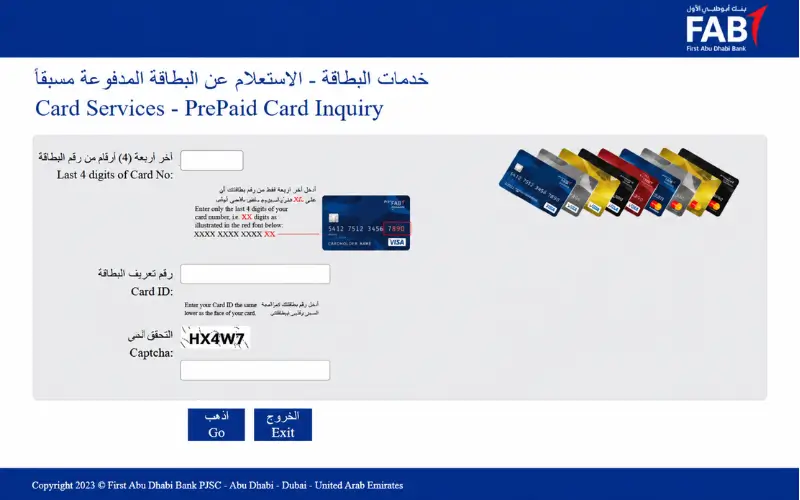
For those where a Lulu service with digital access, one of the simplest ways to check your balance is online. Users must have an active account with Lulu.
The typical procedure is:
- Access the official Lulu digital platform or app.
- Enter the details of your registered account.
- Go to your card, wallet, or account section.
- View the available balance and transaction information.
Digital platforms can be helpful, as they can offer more than a balance amount. Additionally, customers can view transaction history, past dealings, and account information provided by the service.
Benefits of Checking Online
Checking your balance online allows users to check their money without going to the physical store. Common advantages include:
- Providing quicker access to account information.
- The capability to review recent transactions.
- Accessible from mobile devices or computers for ease of use.
- Improved transparency of the expenditure pattern.
Users should never log into an account on any website other than a legitimate Lulu site.
Checking Lulu Balance Through Mobile App
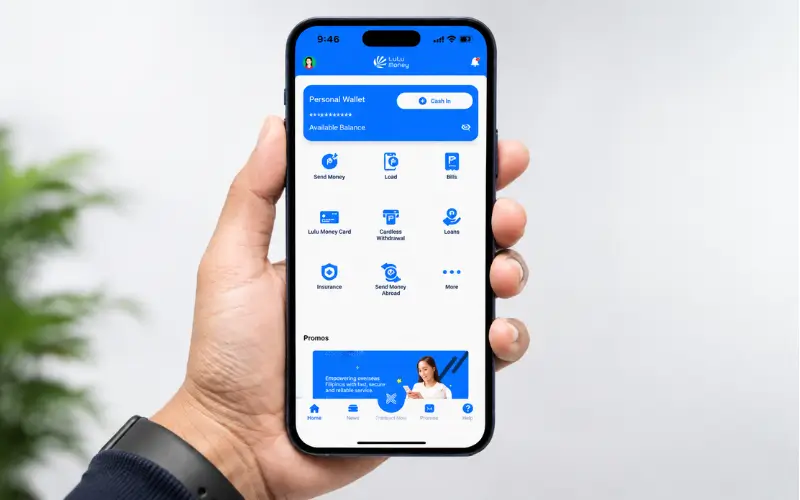
Many users prefer using the mobile application as this can put them in the position of being able to access their accounts from anywhere. Lulu offers digital services using mobile applications that enable the management of financial activities.
Using a Lulu mobile application, you can check your balance:
Install the Official Lulu App
Install the appropriate Lulu app on your official app store.
Before installation:
- Make sure the developer information matches the official Lulu service.
- Never use third-party applications, files, or documents.
- Use the latest version of the app.
Log In to Your Account
Once you’ve opened the application:
- Please enter your registered mobile number or account details.
- Fill in the verification, if necessary.
- Log in to your account’s dashboard.
View Your Balance
After logging in, check for the following sections:
- Wallet
- Cards
- Account balance
- Transaction history
The specific menu name will vary according to Lulu service and account type.
Lulu Exchange Card Balance Check
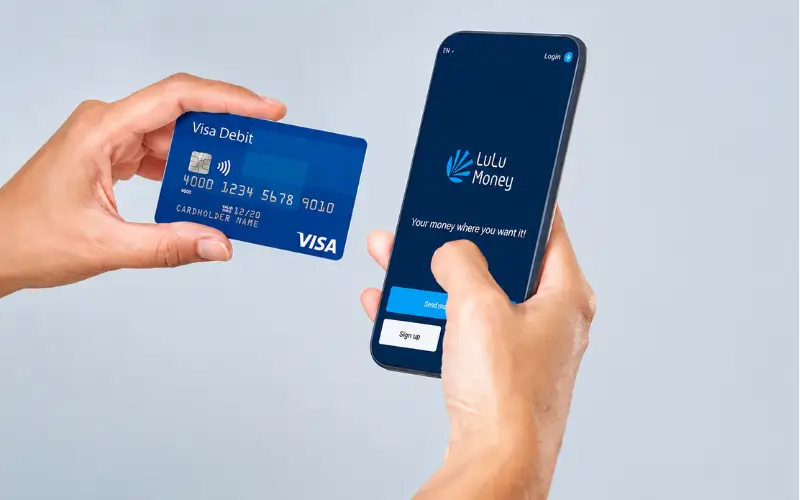
People usually look for a Lulu balance check to get to know how much money is remaining on a Lulu Exchange-related card.
The balance on a prepaid card or travel card typically equals the amount of money the cardholder has in the account for spending. Before making purchases, it is advisable to check the balance to prevent declined transactions.
Possible methods include:
- Lulu is a digital service that can be used with the related course.
- Logging in to the registered account.
- They can visit the Lulu Exchange branches.
- Taking advantage of the services provided to query the cards that are available.
The availability of these options varies with each card product. Not all Lulu cards accept the same ways of inquiring about the balance.
How to Check Lulu Gift Card Balance
Unlike a financial wallet or prepaid card, a Lulu gift card balance check is not a financial check. Gift cards typically have a limited amount of money for specific purchases and are depleted as they are used.
Users might have to:
- Go to a Lulu retail store customer service.
- Give gift card information.
- Ask for the rest of the balance.
Depending on the gift card program and location, you can check online.
It is recommended that before using a gift card, you check:
- Remaining balance
- Conditions for expiration (if applicable)
- Accepted locations
- Usage restrictions
Lulu Wallet Balance and Digital Account Checking
Digital financial services enable users to control their finances using digital means. A wallet balance is the amount of money held in a digital wallet and ready to use on supported transactions.
Typically, when checking a digital wallet balance, you’ll go through the following steps:
- To start the mobile application.
- The first step is to log in to the account.
- To choose the wallet section
- Viewing available funds
Users should also monitor their transactions regularly. The transaction history can provide clues to identifying:
- Successful payments
- Transfers
- Reload activity
- Unexpected account movements
Common Problems During Lulu Balance Check
There may be technical or account-specific reasons why users are not able to see their balance due.
Login Problems
Common reasons include:
- Incorrect account details
- Forgotten password
- Verification issues
- Temporary application problems
Before contacting support, try resetting your login details or updating the app.
Balance Not Updated After Recharge
If your balance is not showing when you add funds:
- Be patient and wait a little longer, and then check again.
- Ensure that payment has been made.
- Review transaction records.
- If this does not resolve, please contact Lulu support.
Card Not Working
A card can fail due to:
- Insufficient balance
- Expired card validity
- Technical issues
- Incorrect transaction process
It is important to review the balance before payment, as this will help quickly identify the issue.
Safety Tips When Checking Lulu Balance
When using any digital account, it’s essential to safeguard financial data.
Follow these security practices:
- Please use only official Lulu platforms.
- Never give out OTP codes.
- Never give out passwords to anyone.
- Do not log into websites via untrustworthy links.
- Ensure that you use secure internet connections.
Care should always be taken when having to deal with financial accounts because the entry of others can impact your personal finances.
Why Regular Balance Checking Is Important
Many customers only log in to check their account balance when they fail a transaction. But with regular monitoring, you will have better control over money management.
The benefit of checking your balance is that you:
- Plan upcoming purchases
- Track expenses
- Confirm successful payments
- Quickly recognize abnormal situations
- Become more financially literate.
For those who shop often and/or use prepaid cards, balance monitoring should become a regular habit.
Lulu Balance Check Methods Compared
| Method | Best For | Convenience Level |
| Mobile app | Digital users and wallet customers | High |
| Online account | Users who prefer web access | High |
| Store inquiry | Gift cards and offline users | Medium |
| Customer support | Account problems and verification | Medium |
The most effective approach will rely on your type of Lulu product and access you have.
Final Thoughts
It’s important to keep track of your available funds when managing your Lulu services effectively. Checking your Lulu balance regularly, whether you are using a prepaid card, gift card, or a digital account, helps you keep track of your account, confirm any transactions, and prevent any payment issues. Official Lulu platforms and secure methods make it easy to keep up with your funds and have a smoother shopping or financial experience. You can also monitor and control your account activity and expenses better by regular balance checking.
Must Read: ATM Balance Check: Complete Guide to Checking Your Bank Account Balance
FAB Balance Check: Complete Guide to Checking Your Account Balance in the UAE
Frequently Asked Questions
How can I check my Lulu balance?
If you have a wallet, a prepaid card, or a gift card, you can check your Lulu balance via the Lulu online platform, the Lulu mobile app, or the physical Lulu service channels.
Can I check Lulu balance online?
Indeed, there are some Lulu services that offer online balance checking via a registered account or digital platforms. This is subject to availability with Lulu products.
How do I check my Lulu gift card balance?
A Lulu gift card is typically checked by going to the Lulu customer service desk or the gift card checking options available in your area.
Is there a Lulu balance check app?
Lulu offers mobile apps for some digital and finance products. The available balance is dependent on the service that you have connected to your account.
Why is my Lulu balance not showing?
This is due to login problems, application errors, delayed updates, or account verification problems. Try refreshing your account or contacting customer support.
Can I check Lulu balance without visiting a store?
Yes, as long as your Lulu service offers access to your account online or via a mobile app, you might be able to check your balance online or through a mobile app.
Does every Lulu card have the same balance checking method?
No, each Lulu product is different in this regard. Different checking methods might be necessary for a gift card, prepaid card, and digital wallet.
Is Lulu balance checking free?
Most of the inquiries over digital balances are standard account services, with charges or restrictions depending on the type of service being used.
How often should I check my Lulu balance?
It is advisable to review your balance whenever you deposit money, when making a big purchase, and when you see unusual activity.
What information should I avoid sharing during a balance inquiry?
Avoid giving out passwords, OTP codes, or any confidential security information to anyone offering balance assistance.