



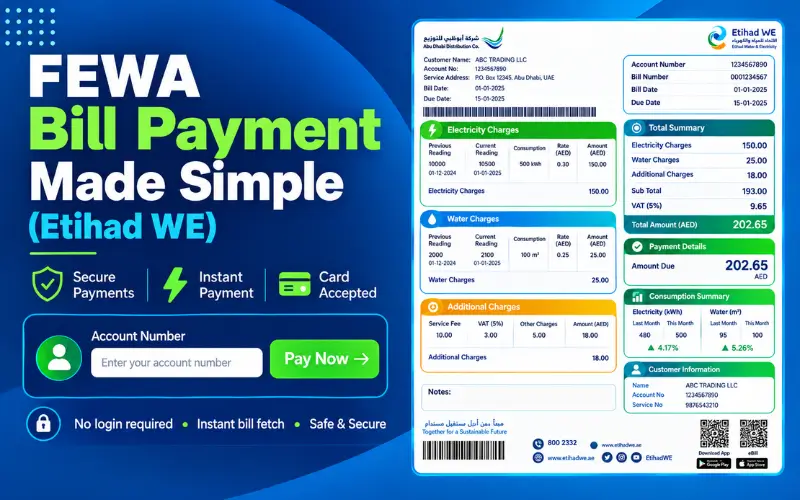
FEWA Quick Pay is a common search term for checking and paying electricity and water bills linked to the former Federal Electricity & Water Authority (FEWA). The authority now operates as Etihad Water and Electricity (EtihadWE), so customers should use the current EtihadWE website and its View and Pay Bill service for online payments. You can check the amount due by entering your account number and then complete the payment online. You do not need to log in for the basic View and Pay service, which makes it useful when you only want to settle a bill quickly.
What Is FEWA Quick Pay?
FEWA Quick Pay refers to the quick online bill-payment option associated with the former FEWA. EtihadWE now handles these electricity and water services and provides the current View and Pay Bill service through its website.
You can enter your account number, check the outstanding amount, and continue to payment without going through the full account-management process. EtihadWE also provides bill payment through its mobile app and other payment channels.
If you still search for terms such as “FEWA bill,” “FEWA payment,” or “FEWA Quick Pay,” the important point is that you should use the current EtihadWE platform for the actual transaction.
Is FEWA Quick Pay Still Available?
The FEWA name refers to the former Federal Electricity & Water Authority. Etihad Water and Electricity now provides the relevant electricity and water services and operates the current digital payment channels.
EtihadWE says it was established in 2020 under Federal Decree-Law No. 31 and continues the work associated with the former authority. That explains why older FEWA payment pages and references can still appear in search results.
For current bill payments, use the official EtihadWE website rather than an old FEWA page or an unofficial payment link.
The difference is simple:
- FEWA: Former name of the Federal Electricity & Water Authority.
- EtihadWE: Current electricity and water service provider.
- View and Pay Bill: Current online service for checking and paying a bill without a full account login.
FEWA and EtihadWE: What Is the Difference?
FEWA stands for Federal Electricity & Water Authority. Etihad Water and Electricity, commonly known as EtihadWE, replaced the former authority’s name and continues to provide electricity and water services in its coverage areas.
This name change explains why people still search for “FEWA bill” and “FEWA online payment.” The search terms remain common, but the official digital services now carry the EtihadWE name.
| Search term | Current EtihadWE service |
| FEWA bill | EtihadWE bill |
| FEWA Quick Pay | View and Pay Bill |
| FEWA online payment | EtihadWE online bill payment |
| FEWA account number | EtihadWE account number |
| FEWA app | EtihadWE mobile application |
Your existing utility account does not become invalid because of the name change. You simply need to use the current EtihadWE services when checking or paying the bill.
How to Use FEWA Quick Pay Online
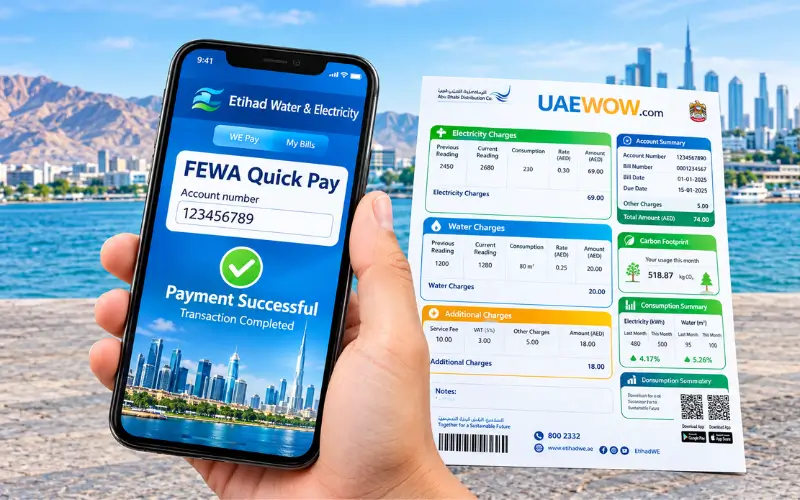
You can pay a bill through the current EtihadWE View and Pay Bill service without signing in to the full customer portal. You mainly need your account number and an accepted payment method.
EtihadWE Payment Service
Start with the official EtihadWE website and open the View and Pay Bill service. Avoid payment pages sent through unknown SMS messages, WhatsApp messages, or social media posts.
Enter Your Account Number
Enter your EtihadWE account number in the required field. Check the number against your bill before submitting it so the system can retrieve the correct account.
Check the Amount Due
Once the system retrieves your account, review the outstanding amount and bill details. Confirm that the account and amount match your records before continuing.
Complete the Payment
Select an available payment method and enter the required payment details. Review the information before confirming the transaction.
Save the Confirmation
After the payment goes through, save the transaction or reference number. Keep it until the payment appears correctly on your account, especially if your bank has already deducted the amount.
Can You Pay a FEWA Bill Without Login?
Yes. EtihadWE provides a View and Pay Bill option that lets customers check and pay a bill without logging into the full account portal.
The process is straightforward:
- Open the official EtihadWE website.
- Select Services → View and Pay.
- Enter your account number.
- Check the amount due.
- Choose the available payment option.
- Complete the payment.
If you want to manage your account or access additional services, you can use the EtihadWE e-services portal and sign in with UAE PASS.
FEWA Quick Pay Customer Support
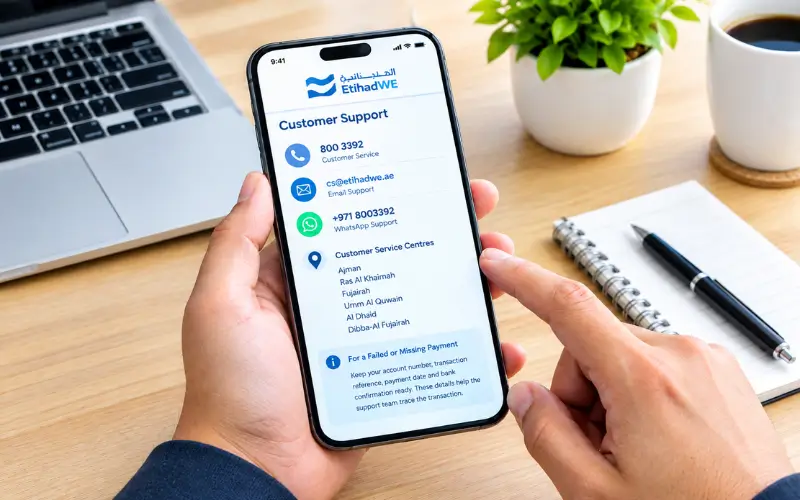
If you cannot complete a payment or need help with your account, contact EtihadWE through its official customer-service channels.
EtihadWE’s current contact information lists 800 3392 as its customer-service number and [email protected] as its email address. It also provides WhatsApp support through +971 8003392.
EtihadWE operates customer service centres in Ajman, Ras Al Khaimah, Fujairah, Umm Al Quwain, Al Dhaid and Dibba-Al Fujairah.
When you contact support about a failed or missing payment, keep your account number, transaction reference, payment date,e and bank confirmation ready. These details can help the support team trace the transaction.
What Information Do You Need for FEWA Quick Pay?
For a normal online payment, you mainly need your EtihadWE account number and a suitable payment method. EtihadWE’s current payment information also lists a valid credit card and email address among the required details.
| Information | Purpose |
| 12-digit account number | Identifies your utility account |
| Amount due | Shows the bill amount you need to pay |
| Valid payment card | Lets you complete the online transaction |
| Email address | Used as required by the payment service |
| Phone access | May help with bank verification |
EtihadWE states that its online payment service accepts credit cards issued in the GCC region. Check the current payment requirements on the official service before starting a transaction.
How to Check Your FEWA Bill Before Payment
Checking the bill first helps you confirm that you are paying the correct account and amount. EtihadWE’s bill enquiry service uses the account number to retrieve your current bill information.
Enter the 12-digit account number shown on your bill and review the amount due. If the amount looks different from what you expected, check the bill details before making a payment.
EtihadWE also provides a Know Your Bill service. This service can show account information, bill summaries, electricity and water details, and consumption information.
Which Emirates Does FEWA/EtihadWE Serve?
EtihadWE provides electricity and water services across several areas in the Northern Emirates. Its official coverage includes Ajman, Ras Al Khaimah, Fujairah, Umm Al Quwain, Al Dhaid, and Dibba-Al Fujairah.
| Area | EtihadWE coverage |
| Ajman | Yes |
| Ras Al Khaimah | Yes |
| Fujairah | Yes |
| Umm Al Quwain | Yes |
| Al Dhaid | Yes |
| Dibba-Al Fujairah | Yes |
Service coverage can vary by property and service area. If you are unsure which provider handles your property, check your utility bill or confirm the details with EtihadWE.
FEWA Quick Pay Payment Methods
Customers searching for FEWA Quick Pay have several ways to pay an EtihadWE bill. The available channels include online services, the mobile app, banks, exchange houses, payment machines, es and EtihadWE service centres.
- EtihadWE website: Check and pay your bill online.
- EtihadWE mobile app: Manage bills and make payments from your phone.
- Banks: Use a participating bank’s bill-payment service where available.
- Exchange houses: Pay through supported exchange houses.
- Payment machines: Use an available EtihadWE payment machine.
- Service centres: Visit an EtihadWE centre for in-person payment.
The exact options can vary by channel, so check the current EtihadWE payment information before visiting a location.
How to Pay FEWA Bill Using the EtihadWE Mobile App
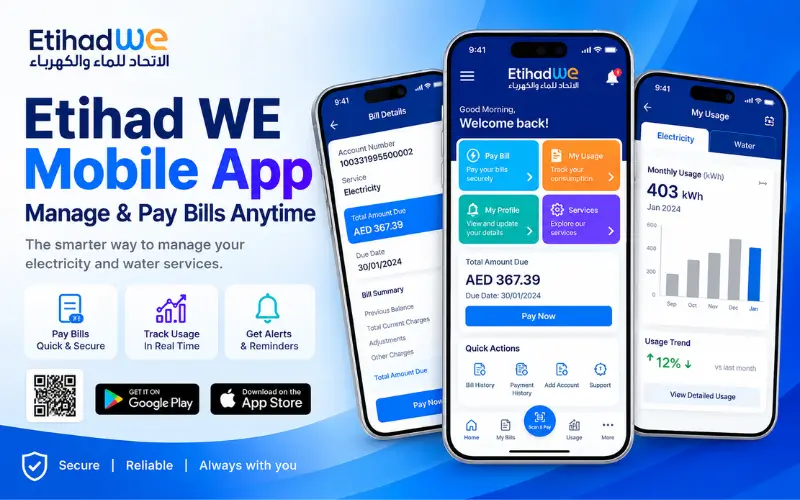
The EtihadWE mobile app gives customers another way to manage and pay utility bills. You can open the official app, access the relevant account, and follow the payment instructions shown on the screen.
Depending on the service and account setup, you may sign in with UAE PASS or use the available payment option. Before paying, check that you have selected the correct account and entered the required payment information.
Download the app through an official app store. Avoid installing an application from an unknown link sent by email, SMS, or social media.
What Happens After You Pay Your FEWA Bill?
After you complete the payment, keep the confirmation or transaction reference until the bill status updates. This becomes especially important if your bank shows a deduction, but EtihadWE has not yet updated the account.
EtihadWE states that payments made through customer service offices, Emirates Post,t and banks update immediately in its system. Online card payments can depend on the transaction status and processing.
Payment Confirmation
Save the payment confirmation after completing the transaction. A reference number can help EtihadWE trace the payment if you later need assistance.
When the Bill Status Updates
The timing can vary depending on the payment channel and transaction. If the payment does not appear immediately, check the transaction status before making another payment.
What to Do If the Amount Was Deducted but the Bill Still Shows Unpaid
Do not immediately pay the same bill again if your bank has already deducted the money.
Keep your bank notification and payment reference, then check the account again. If the payment still does not appear, contact EtihadWE and provide the account number, payment date,e and transaction details.
FEWA Quick Pay Payment Failed? Try These Solutions
A failed online payment can result from an incorrect account number, a declined card, a bank verification issue, or a temporary connection problem. Check the details first and avoid making repeated payments if the bank has already charged your card.
Incorrect Account or Customer Number
EtihadWE uses the account number to retrieve your bill. Its bill enquiry information specifies a 12-digit account number.
Compare each digit with the number shown on your utility bill. If the system cannot find the account, check the number again instead of entering a different number at random.
Card Payment Declined
Your bank may decline an online transaction even when the EtihadWE website works normally.
Check whether your card remains valid and whether online transactions are enabled. Your bank may also require an additional verification step. If the card continues to fail, contact the issuing bank.
Website or App Not Loading
If the official payment page does not load, refresh the page or try again later. You can also try another browser or internet connection.
Do not move to an unfamiliar payment website simply because the official page is temporarily unavailable.
Payment Deducted but Confirmation Not Received
If your bank has deducted the payment but you did not receive a clear confirmation, do not make another payment immediately.
Keep the bank transaction details and check your EtihadWE account again. If the status remains unclear, contact EtihadWE through its official customer-service channels.
Can You Pay FEWA Bills From Outside the UAE?
You can access EtihadWE’s digital payment services online, which can help customers who need to manage a bill while outside the UAE.
EtihadWE lists its website and mobile application among its 24-hour digital channels. However, card acceptance depends on the current payment rules and the card you use.
EtihadWE currently states that its credit-card payment service accepts cards issued in the GCC region. If your card does not work while you are abroad, check the available payment alternatives before attempting repeated transactions.
FEWA Quick Pay vs Regular EtihadWE Bill Payment
The main difference comes down to account access. View and Pay Bill lets you retrieve and pay a bill without signing into the full customer account, while the regular e-services portal provides access to wider account-management functions.
| Feature | Quick Payment | Regular Account |
| Login | Not required | Required |
| Account number | Required | Available through account |
| Check amount due | Yes | Yes |
| Pay bill | Yes | Yes |
| Full account management | Limited | Available |
| Best for | Quick payment | Regular account management |
If you only need to pay one outstanding bill, the login-free option can save time. If you regularly manage your utility account, the full e-services portal offers more functions.
How to Avoid Fake FEWA Payment Links
Searches for FEWA Quick Pay can still bring up old pages and third-party websites. Always verify the website before entering your account, card, or personal information.
Start from the official EtihadWE website and navigate to the payment service yourself instead of relying on an unfamiliar payment link.
Keep these precautions in mind:
- Use the official EtihadWE website or mobile application.
- Do not enter card details on unfamiliar websites claiming to process FEWA bills.
- Treat unexpected SMS, WhatsApp messages, and emails containing payment links with caution.
- Check the website address before entering account or card information.
- If a payment page looks suspicious, close it and access EtihadWE directly.
Read as: FAB Head Office Business Park: Location, Address, Timings & Contact
Final Through
FEWA Quick Pay is still a popular search term in the UAE, but customers now use Etihad Water and Electricity (EtihadWE) for electricity and water bill payments. The easiest option is the official View and Pay Bill service, where you can enter your account number, check the amount due, and complete the payment online. EtihadWE also offers payment through its mobile app, banks, exchange houses, payment machines, and service centres. Before paying, check your account number and bill amount carefully, then keep the payment confirmation until the transaction appears on your account. Always use the official EtihadWE website or app instead of old FEWA pages or unfamiliar payment links to protect your account and card details.
FAQs
What is FEWA Quick Pay?
FEWA Quick Pay is the common search term for the online bill-payment service linked to the former Federal Electricity & Water Authority. EtihadWE now provides the current service through its View and Pay Bill option.
Do I need to log in to use FEWA Quick Pay?
No. EtihadWE’s View and Pay Bill service lets you retrieve and pay a bill without signing into the full customer account. You need the relevant account number.
How can I check my FEWA bill online?
Open the current EtihadWE bill enquiry or View and Pay service and enter your 12-digit account number. The system can then retrieve the bill and show the amount due.
How can I pay my FEWA bill online?
Open the official EtihadWE website, go to Services → View and Pay, enter your account number, and check the amount due. Select an available payment method and complete the transaction.
Can I pay my FEWA bill from outside the UAE?
You can access EtihadWE’s online payment services from outside the UAE. However, card acceptance depends on the payment rules and card type. EtihadWE currently states that its credit-card payment service accepts cards issued in the GCC region.
Is FEWA the same as EtihadWE?
FEWA refers to the former Federal Electricity & Water Authority. EtihadWE is the current organisation that continues the electricity and water services associated with the former authority.
Which emirates use EtihadWE services?
EtihadWE’s listed coverage includes Ajman, Ras Al Khaimah, Fujairah, Umm Al Quwain, Al Dhaid and Dibba-Al Fujairah.
What should I do if my FEWA payment fails?
Check your account number, card details, and bank verification first. If your bank has already deducted the money, do not immediately pay again. Keep the transaction reference and contact EtihadWE if the payment status remains unclear.
How can I confirm that my FEWA bill has been paid?
Keep your payment confirmation or transaction reference and check your account again. If the payment does not appear as expected, contact EtihadWE with the transaction details.